Netlist & Export
A finished schematic produces three things: a netlist for analysis, and SVG / PDF figures for documents.
From the GUI
(Ctrl+E) writes the netlist to
cir/:.slicap_cirfor a SLiCAP circuit,.spwith the control section for an NGspice circuit. For a subcircuit schematic it writes the subcircuit library tolib/instead,<title>.slicap_libor<title>.spice_lib, the same file as the export from the command line and as saving the subcircuit.writes a vector figure.
writes a PDF figure.
(Ctrl+P) prints the drawing.
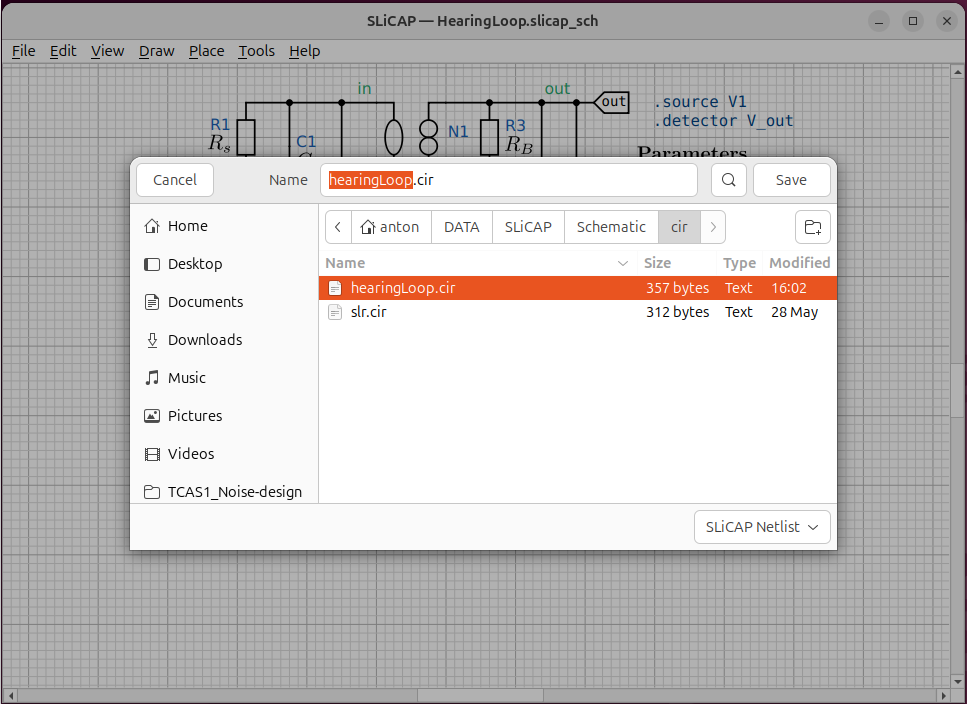
Fig. 34 The schematic and the netlist it produced, side by side.
From the command line
The same outputs can be generated without opening the window — useful for build scripts and Makefiles:
$ python -m SLiCAP.schematic.cli netlist  sch/my_circuit.slicap_sch
$ python -m SLiCAP.schematic.cli svg      sch/my_circuit.slicap_sch
$ python -m SLiCAP.schematic.cli pdf      sch/my_circuit.slicap_sch
If -o <file> is omitted, the output takes the schematic’s name with the
appropriate extension and lands in the project’s cir/ (netlist) or
img/ (SVG / PDF) directory automatically. The netlist extension names
the dialect: a .slicap_sch writes cir/<name>.slicap_cir, a
.spice_sch writes cir/<name>.spice_cir. A SLiCAP and an NGspice
schematic of the same name therefore keep their own netlists. A netlist
written by hand keeps the extension .cir, in either dialect.
The images carry no dialect. Every drawing of the project, a schematic in
sch/ or lib/ or a poster, writes img/<name>.svg and
img/<name>.pdf into the one img/ folder. Give every drawing of a
project its own name. Two drawings with one name overwrite each other’s
images, and the last export wins. The editor refuses a name in use when a
poster is created, when a schematic is saved under a new name and when a
subcircuit is saved, and names the drawing that has it. Name the NGspice
twin of amp.slicap_sch for instance amp_ng.spice_sch.
For a
schematic saved as a subcircuit the netlist command writes the library
lib/<name>.slicap_lib instead of a netlist file (see
Hierarchical Blocks).
Running it in SLiCAP
makeCircuit() recognises the .slicap_sch extension and generates the
netlist and figures automatically before parsing:
import SLiCAP as sl
sl.initProject("My Design")
cir = sl.makeCircuit("sch/my_circuit.slicap_sch")   # exports + parses
result = sl.doNoise(cir, pardefs="circuit", numeric=True)
The export can also be run on its own with sl.updateImages(), which
rewrites the schematic’s images (and its netlist) without creating a
circuit object. It takes the schematic file, sch/<name>.slicap_sch or
sch/<name>.spice_sch, or the circuit object of a SLiCAP schematic. Its
place is the end of the instruction file. A schematic that links plots
( with a file in img/) inlines them at
export time, and makeCircuit() at the top of the file exports before
the analyses have written them. An export after the figures shows the
plots of this run:
cir = sl.makeCircuit("sch/my_circuit.spice_sch")   # exports + parses
TR1 = sl.tran("my_circuit", "1n", "1u")
FIG1 = sl.makeFigure([[AX1]], "tran")               # writes img/tran.svg
sl.updateImages("sch/my_circuit.spice_sch")         # exports with the new plot
on the main menu appends that last line. Both calls skip the export when the netlist and the images are newer than everything they depend on: the schematic, its sidecars, the symbol libraries, the operating-point results and the linked images. On the canvas the linked images are reloaded after every run.
For a subcircuit schematic both calls write the library in lib/ and the
figures, and makeCircuit() returns None: a subcircuit dos not require
a ground node 0 and is not parsed as a circuit.
sl.makeCircuit("lib/smallAmp.slicap_sch") # writes lib/smallAmp.slicap_lib and img/smallAmp.svg, .pdf
What the netlist looks like
The first line is the title.
Each element becomes one line — reference designator, nodes (in the symbol’s node order), any references, the model and the parameters:
"My Circuit"

.param R_s = 825
.param C_L = 10e-12

.source V1
.detector V_out

R1 in 3 R value={R_s}
N1 out 0 in 1 N
C3 out 0 C value={C_L}
...
.end